
Kumpulink is a local-first AI bookmark manager for Chrome. Save a page in one click and it cleans the title, tags it, and files it into a tidy folder in your regular Chrome Bookmarks — using your own AI key, on your own machine.
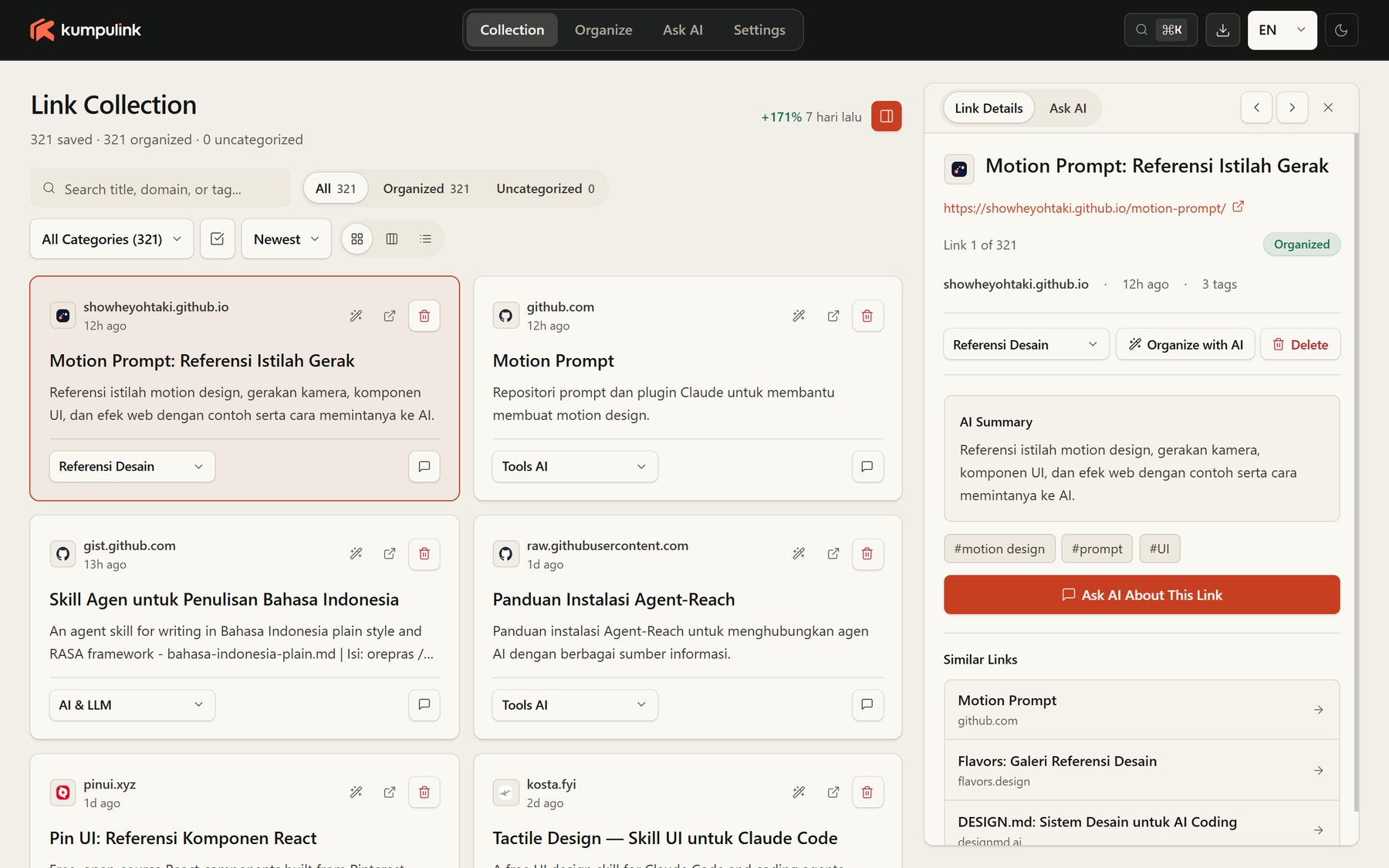
There is no Kumpulink server, no account to create, and nothing to sync. The extension works on the bookmarks already in your browser.
Press Alt+Shift+S on any page. Kumpulink saves it, cleans up the messy page title, and lets AI file it into the right category automatically.
Already have hundreds of unsorted bookmarks? Kumpulink processes them in batches in the background. Filter the changes, retry only the failures, and Undo if you change your mind.
Search titles, domains, and tags across your whole collection, locally — no network round-trip. Select ranges with Shift+Click, then move, copy, or delete in bulk.
Chat with your own collection: “Where did I save that article about…?” Answers are grounded in your saved bookmarks, with optional web search when you want to go further.
Alt+Shift+K opens a keyboard-first palette. Jump to any category, bookmark, or action without touching the mouse.
Bookmarks, settings, and chat history live in your browser's local storage. Nothing is uploaded to us — we don't even have a server to upload to.
Add Kumpulink from the Chrome Web Store and open the dashboard.
Paste a Google Gemini key, or point Kumpulink at any OpenAI-compatible endpoint, in Settings.
Save new pages with Alt+Shift+S, or run Bulk Organize once over your existing bookmarks.
Use instant search, the Command Palette, or Ask AI. Categories live in your real Chrome Bookmarks.
Kumpulink does not provide an AI account and never sees your key on any server. The key is stored locally in your browser and sent only to the provider you choose, only when you use an AI feature.
The default provider. Use your own Gemini API key with a fast model and pay Google directly — or stay within the free tier.
gemini-2.5-flashx-goog-api-keyOpenAI, OpenRouter, Groq, a local Ollama instance, or your own gateway. You control the model, the provider, and the cost.
/chat/completionslocalhost supportedNo key yet? Kumpulink still works as a local bookmark dashboard and search tool — pages are simply saved as Uncategorized until you add one.
The extension itself is free. AI features use your own API key, so any usage cost is charged by your AI provider (for example Google Gemini) under your own account. Local features — dashboard, search, organizing by hand — need no key and cost nothing.
On your device, in your browser's local storage (IndexedDB). Kumpulink has no developer server, no analytics, and no user accounts. The full details are in our Privacy Policy.
Only what an AI feature needs: a bookmark's title, URL, and a short page description or excerpt — plus your question when you use Ask AI. It goes directly from your browser to the provider you configured, authenticated with your own key.
Your organized bookmarks stay. Categories are written into your real Chrome Bookmarks in a Kumpulink folder, so removing the extension does not remove them. Only the extension's local data (settings, chat history, its bookmark index) is deleted.
Six: English, Bahasa Indonesia, Español, 中文, 日本語, and 한국어 — with system, light, and dark themes.